Unfair advantage

Your unfair advantage:
a company that
never sleeps.

We integrate AI across your entire company so it actually works — and pays off for years — on the Microsoft and Anthropic stack. Buying the technology isn't enough. It has to work — and that's our job.

The stack is readyMicrosoft and Anthropic now handle security and GDPR. The "let's wait until it matures" excuse no longer holds.
Tool in a day, people in a yearAt Isotra, active AI use went from 17% to 78% in one year. We deploy the tools so they do the work and take the routine off your plate.
A head start can't be boughtIt's accumulated experience, not a license. Competitors can't skip it — they have to live through it too.
The risk has flippedFor years, waiting was the smart move. Now doing nothing is the more expensive bet.

By submitting, you agree to the processing of personal data.

Your systems · agents 24/7 live
Your systems ERP CRM Microsoft 365 Email Warehouse Accounting Helpdesk Web Star · core (phase 2)
People assign and judge Agents work 24/7 Your systems at the core
01What and how

What we do and how we do it.

We take AI out of the tool and into the operating layer of your company.

Integration

What we do

We integrate AI across the entire company — from the tools people use every day to the operating layer that runs the company. Not a one-off training, not a tool off the shelf. We own the implementation and the result.

ToolsProcessesResult
01
Loop

How we do it

In four layers, in a loop: Compass maps the company, Launchpad teaches people the tools, Orbit deploys agents into operations, Star builds your own core. Step by step.

CompassLaunchpadOrbitStar

Built on Microsoft & Anthropic · in a loop, not in a single step.

Our clients
02Why a loop

The world is moving from a pyramid to a loop.

The company hierarchy is changing — from top-down decision-making to a loop where data, people and agents keep pace together. Whoever switches sooner gains the head start.

Moving to the loop isn't optional — it's the condition for a head start. Enter prepares your whole company for the loop, not just a single tool.
03Why now

The window is open.
Not forever.

AI capabilities double every few months, the cost of performance is falling by orders of magnitude and work is being reshuffled. The head start you build now can't be caught up in two years.

~7 mo.
doubling of the length of tasks AI can handle on its ownMETR 2025
280×
drop in the cost of GPT-3.5 performance over two yearsStanford AI Index 2025
22 %
of jobs will be reshuffled by 2030WEF 2025
95 %
of enterprise AI pilots still without measurable returnsMIT 2025
04Case study

Isotra: AI transformation in practice.

A manufacturer, 600 employees. How we took AI adoption from 17 to 78 % — step by step, our way.

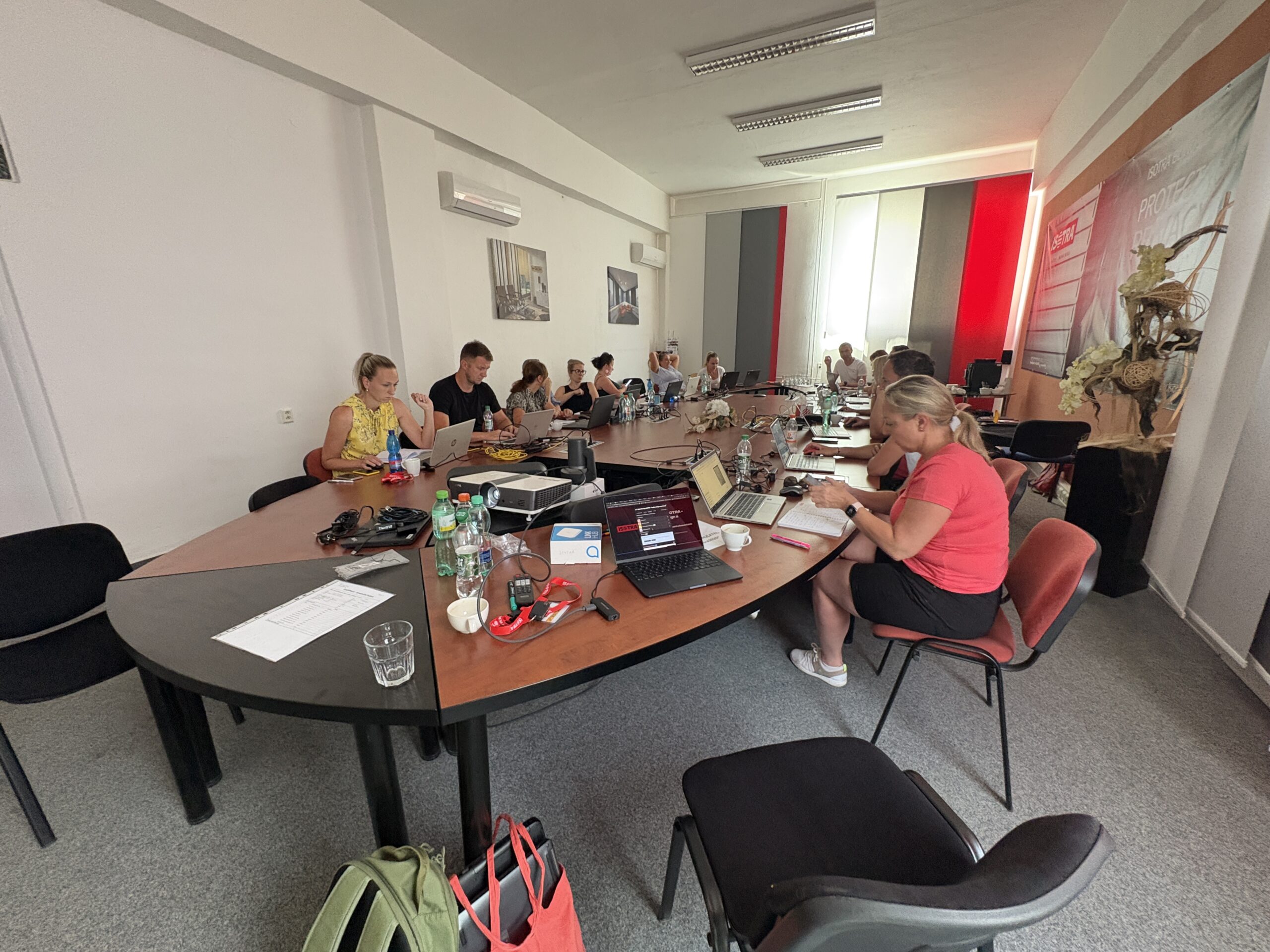
Isotra workshop
05Approach

How we get there.

Not one tool — the whole loop on Microsoft and Anthropic. We start with discovery and build outward.

today
01
Compass
discovery · map

We map how the company really works and pinpoint where AI pays off the most.

today
02
Launchpad
education · adoption

We teach the team to really use AI tools — by role, on real tasks.

today
03
Orbit
agents · 24/7

We deploy AI agents directly into your processes — digital workers 24/7.

phase 2
04
Star
sovereign LLM · core

Your own operating core grows — data stays and makes the decisions.

Let's do this

What's your loop?

We'll show you where your company should start — from mapping the work to your own Star core.

today
First step · the gateway to AI adoption

Compass — before you switch AI on,
you have to understand the work.

We sit down with you at your company and map live how you really work — roles, routines, decision points. We find where AI pays off, and we prepare people for the change. Not an audit, not surveillance of people.

The gateway to AI adoption — we do it live, right at your company.

AI Opportunity Map mapping live
N E S W
Azimuth 000° · scanning the company — looking for where AI pays off
01Our logic

Six steps,
each with a clear deliverable.

Compass is a live service delivered right at your company. We start by preparing for the change and finish with a smooth transition into training.

Preparing for change

We explain to leadership and teams why AI adoption doesn't start with training or a license, but with understanding the work. Compass is neither surveillance of people nor an audit.

Deliverablealigned leadership and a clear brief

Strategic meeting with leadership4 h

Leadership gets a framework for making AI decisions, sets governance and the highest-impact priorities.

Deliverablea priority list and a draft roadmap

Mapping work and roles

In guided interviews right at your company, we map how the work actually happens — roles, routines, inputs and outputs, time losses, places for AI and the boundaries where a human decides.

DeliverableRole & Process AI Opportunity Map

AI audit

We validate the proposals against your data and processes — data flows, compliance, team readiness.

Deliverablean audit report, an AI readiness score and candidates for quick wins

Priorities and adoption roadmap

Concrete AI use cases by value and feasibility — for which roles, what AI takes over, what stays with the human.

Deliverablean adoption roadmap, where to start, and the foundation of governance

Handover to Launchpad

Compass tells you where and for whom AI makes sense. Launchpad turns it into training on your own real work.

Deliverableone smooth transition Compass → Launchpad
02How we map

We talk about the work,
not through a questionnaire.

No remote form. We're at your company, mapping live with your people. We don't ask in the abstract — we ask in human terms.

It's not enough to switch AI on — it has to be onboarded into the work, the role and the company environment. Compass is that first step.

„Picture an ordinary Monday morning. What are the first three things you or your team deal with?"

That's how we ask. Not about process diagrams, but about what you really deal with — because that's where it shows where AI will help and where the human has the final word.

03What you take away

A work map,
not a slide deck.

The Compass deliverable is six concrete things you can step straight into AI adoption with.

Role & Process AI Opportunity Map

A map of your work with the spots marked where AI will help — and where the human has the final word.

Priority AI use cases

For which roles, what AI takes over, what stays with the human, what the value is and the next step.

Adoption roadmap

Prioritized steps and a clear recommendation on where to start.

AI readiness score

Where the company stands on data, processes and team readiness.

Foundation of governance

Rules for the safe and responsible use of AI across the company.

Handover to Launchpad

Recommended training content tailored to your roles.

Baseline at the start
Timeset
Routine tasksmeasured
Adoptionbaseline
Output qualitycaptured

After the first deployments we measure again — and leadership sees a real difference, not an impression.

04We measure, we don't guess

A real difference,
not an impression.

Right at the start we set a baseline — time, routine tasks, adoption and output quality. After the first deployments we measure again and leadership sees a real difference, not an impression.

The strategic meeting sets the direction, the audit turns it into a final roadmap. The deliverable isn't a slide deck but a work map that you step into Launchpad with.

05Where it leads

Compass is step 1 of 4.

Compass maps the terrain. Launchpad teaches people, Orbit deploys agents 24/7 and Star is the company's own core. Each layer prepares the next.

you are here
01 · step 1
Compass
discovery · map
  • Maps how the company really works
  • Pinpoints where AI pays off most
  • Prepares people for the change
You are here. A work map, not an audit.
today
02 · step 2
Launchpad
education · adoption
  • Teaches the team to use AI tools
  • By role, on real tasks
  • Captures what keeps recurring
today
03 · step 3
Orbit
agents · 24/7
  • A team of agents tailored into processes
  • Natively in Microsoft 365
  • The human at the decision
phase 2 · goal
04 · step 4
Star
sovereign LLM · core
  • The company's own operating core
  • Data stays and makes the decisions
  • For maturity, regulation and scale
North Star
It's not enough to switch AI on — it has to be onboarded into the work. Compass is that first step. And we do it at your company, live, today.
Map the work. Find where AI pays off. Prepare people for the change.
06Frequently asked

What companies ask most often.

Honest answers to what we hear most — no sugarcoating.

01Is Compass an audit or surveillance of people?+
No — and we say it out loud. Compass maps the work, not people's performance. We don't judge who's doing what wrong; we look for where routine eats up time and where AI will help. The result is a work map with clearly marked boundaries where the human has the final word.
02Do we already need some AI tools?+
No. Compass is the very first step — before you switch anything on. That's exactly why it's "before you switch AI on, you have to understand the work." You don't need licenses or experience; we map the terrain and tell you where and with what it makes sense to start, so you don't pay for tools nobody uses.
03How long does Compass take?+
We do it live at your company, and the length depends on the size of the company and the number of roles. The core is a strategic meeting with leadership (about 4 h) and a series of guided interviews right at the workplace — a matter of days, not months. You don't wait for a long audit; you get the deliverable fast and step straight into Launchpad with it.
04Does leadership have to be involved?+
Yes, briefly, but it's crucial. The strategic meeting with leadership sets the priorities and the foundation of governance — without aligned leadership, AI adoption falls apart into the enthusiasm of individuals. Leadership gets a framework for decision-making from us, not another presentation.
05What do we actually take away?+
A work map, not a slide deck: Role & Process Opportunity Map, priority use cases, an adoption roadmap, an AI readiness score, the foundation of governance and a handover to Launchpad. Six concrete things you can work with right away.
06What happens after Compass?+
A smooth transition into Launchpad — training on your own real work, by the roles Compass flagged. Compass tells you where and for whom, Launchpad turns it into skills that stay with the team.
Let's get started

Start with Compass.

We sit down with you at your company, map the work and show where AI adoption should start for you specifically. Then we move smoothly into Launchpad.

today
Most deliveries · live programs

Launchpad —
people who know AI.

We teach your team to use AI in everyday work — live, by role, on your real tasks. Using the flipped classroom method, in the Microsoft Copilot + Anthropic Claude ecosystem. Not a one-off training, but a program that sticks and gives time back.

Microsoft Solutions Partner · TD SYNNEX Destination AI

Real task — real time manual vs with AI
Reply to a client email real task
Manual18 min
With AI4 min
saved 14 min on a single task
01Philosophy

AI takes the tedious stuff,
not your job.

We don't start with abstract AI use cases — we start with the tasks people do every day: emails, calendar, documents. We eliminate the wasteful work (retyping data into the CRM, meeting notes, entering invoices into the system) so there's time left for work that has value.

We don't talk about "improving efficiency" or "cutting headcount." We talk about: the company doesn't forget your tasks and makes you more capable.

"It's not about the name of the tool, but about what you can actually achieve with it in your work."

That's why we don't teach "AI features," but the concrete work of concrete roles — on the tasks you have on your desk today.

02References

Companies that went through AI transformation.

Which companies have already done it, how it helped them, and what you'll learn with Enter too. References by department.

03The reality of training

People forget 70% of training by the next day.

We take a different approach — we don't deal in theory, but in your real business pain points, and we build a habit, not attendance.

How much stays in practice (%)
Ordinary training Enter — habit
100 75 50 25 0 Day 0 Week 1 Week 2 Month 1 −70 % drop by the next day Flipped classroom 14-day sprint Follow-up ~85 % ~25 %
Typically
70%
of training knowledge disappears by the very next day — the Ebbinghaus forgetting curve.
Enter
~85%
of skills stays in practice even a month after the training. Instead of a one-off dose, we build a habit.
Flipped classroom 14-day habit sprint Follow-up

We don't measure attendance. We measure what people actually use a month after the training.

04Our logic

From strategy to systems that stay with you.

Just want a taste of the basics? Or to go all-in on AI transformation? We adapt to your pace — this is our logic, step by step.

5steps of the method
1 pathtailored to your pace
Compass Launchpad Orbit → 01 Strategy meeting 4 h 02 AI Audit 03 Enter AI Workshop 8–16 h 04 Specialized workshops 05 Automation map Orbit · automation
14 h

Strategy meeting with leadership

We sit down with leadership and set the direction.

Outputclear priorities and a draft roadmap
2

AI Audit

We map where you stand today and what can be sped up right away.

Outputaudit report, an "AI readiness score" and candidates for quick automations
38–16 h

Enter AI Workshop

The team learns to use AI practically in their own processes.

Outputprocess map, templates and mini-projects
4

Specialized workshops

Sales, controlling, HR, manufacturing, logistics — each team separately.

Outputspecific tools and approaches for each team
5

Automation map and roadmap

We turn opportunities into a concrete implementation plan.

Outputa brief for implementing automations (together with EnterIT)
05Flagship product

"Press Enter" — our most popular product.

A one- to two-day workshop that gets right to the bone of what AI can do today. Length 8–16 hours, with an uncompromising ratio: minimum theory, maximum practice on your real tasks.

Workshop ratio Length 8–16 h
0%
practice
on your own tasks
80 % Practice
20 % Theory · just the basics
The flipped classroom method
Beforehand · At home

Content & approaches

You study the theory and how-tos in advance, outside the room.

On site · Together

Live practice

We spend the shared time working on your real tasks.

Content
Trends Working with text Presentations in Gamma Data analysis Reporting Verifying information Personal micro-projects
Outputs
Process map Ready-made templates First quick wins

The flipped classroom method was developed with Bohumil Kartous, a leading Czech education expert.

06AI Audit

Before we begin, we measure your AI readiness.

4 hours with company leadership. The output: an audit report, an "AI readiness score" and a clear recommendation on how to proceed.

AI readiness radar A four-axis radar mapping status and gaps, adaptation, potential and ambassadors, with a center score of 64 out of 100. Status & gaps current initiatives 0 Adaptation readiness 0 Potential opportunities 0 Ambassadors culture 0 0 /100 readiness score
Illustrative value — the real score comes from the audit
1
Status & gaps
We map current AI initiatives and the areas where AI is still missing.
0
2
Adaptation & readiness
How prepared the company is technologically, process-wise and in human terms.
0
3
Potential & opportunities
Where AI will bring the most value and competitive advantage.
0
4
Ambassadors & culture
Key people — AI ambassadors — and company culture.
0
Audit report Readiness score Recommended next steps
4 h
with company leadership
4
axes of readiness
1
clear start
07The learning path

From the basics to the more complex,
at your pace.

The path isn't sequential — it depends on each person's role and pace. Five levels we build on.

Elementary

Emails, calendar, simple documents.

Search and synthesis

Find information in documents, summarize a meeting, research.

Preparing deliverables

Emails, draft proposals, presentations.

Coordination and analysis

Data analysis in Excel, planning, coordination across tools.

Ad-hoc and complex

Crisis communication, preparing for a complex meeting, multi-source research.

08By role

Different content for every role.

Different tools, different tasks. Pick a role and see what AI actually takes over for it.

09How we integrate AI

We build on Microsoft Copilot + Claude.

That's the core we work in with you every day. Enter is both a Microsoft Solutions Partner and an Anthropic Partner — and we get these tools into the real daily work of your people.

Microsoft Solutions Partner

Microsoft Copilot

An anchor in the environment the company already has — Microsoft 365: Outlook, Word, Excel, Teams, PowerPoint. AI right where people actually work, under management and within the company's perimeter.

Anthropic Partner

Claude · Anthropic

A frontier model for demanding reasoning — long documents, analysis, writing and complex tasks where the quality and accuracy of the output matters.

→ into daily work
Outlook · emails Word · documents Excel · data Teams · meetings CRM · proposals
as a complement, depending on the task
Gemini Perplexity · sourced verification NotebookLM · large volumes of text Gamma · fast presentations
It's not about the name of the tool, but about what you can actually achieve with it in your work.
Automation map
Learned tasks become a map for agents.

During the program we record recurring tasks. Leadership then decides which of them an AI agent takes over — and Orbit puts them into operation.

10From education to automation

So AI doesn't stop
at learning.

Launchpad is the first step toward getting AI into operation. People learn to use it — and what they do repeatedly becomes a candidate for automation.

That's how a seamless transition emerges: Launchpad teaches people → Orbit deploys agents.

11Proof

Measured, not claimed.

17 → 78 %
Copilot adoption at Isotra in 12 monthsusage signals + surveys
800+
people trained across clientsEnter Launchpad
~40 min
saved per person per weekmeasured before/after
Isotra · case study

Isotra: from strategy to specific roles.

A manufacturing company with 600 employees. 120 people went through the program, including leadership — from strategy to individual roles. The key to lifting adoption from 17 to 78 %: role-based education, the flipped classroom and governance. Measured via usage signals and before/after surveys.

from 17 %
78 %
Copilot adoption in 12 months
Our clients
Let's do this

Get your team started.

We'll teach your people to use AI in their own work — live, by role, with measurable impact.

today · V1 live
Automation · digital workers

Orbit — agents that
do the work for people.

A custom-built virtual team of AI agents completes specific tasks for your people — natively in your Microsoft 365, with a human at the decision. Not a chatbot that gives advice. An agent that actually gets the work done.

Azure & Microsoft 365 native · data in the EU · GDPR and EU AI Act ready

Virtual team · Orbit live
Your systems Microsoft 365 ERP · CRM · data
Brain Agent orchestrates Specialists People decide
01Why an agent at all

Not a chatbot that advises.
An agent that does it.

Your people spend hours on repetitive prep — proposals, lead sourcing, content, meeting notes, research. An agent finishes this work in minutes. What's left for people is what a machine can't do: the decision, the relationship, the judgment.

The agent actually completes the task: it generates the proposal, finds and scores leads, builds the landing page, drafts the post. It runs 24/7, never forgets, and holds the whole company's context.

The difference between "we have AI" and "AI is actually doing our work."

Orbit is the third step: after mapping the work (Compass) and adopting AI into operations (Launchpad) comes automation.

02Faster & cheaper

Same task.
Minutes instead of hours.

The agent handles the heavy prep at a fraction of the time and cost. The person then just fine-tunes and decides. (Illustrative comparison of the prep phase.)

Price quote / pitch deck
Human~3 h
Agent~10 min
The agent pulls a draft from the brief and past materials; the salesperson fine-tunes the price and sends.
Lead qualification and scoring (50 of them)
Human~1 day
Agent~45 min
Lead Hunter finds leads by ICP, enriches them with data and scores them; the salesperson reviews.
A week's set of social posts
Human~4 h
Agent~20 min
The marketing agent holds the brand and tone; the marketer approves and publishes.
No off-the-shelf templates.
We build every agent to measure.

The agent takes your brand manual, your processes, your project history and integrations (Microsoft 365, CRM, invoicing). We train it on your data and tone — the output sounds like your company.

03We build them to measure

You assemble the team
as you need it.

You don't have to deploy all five agents. Start where it hurts most — and expand the team when it makes sense.

The roles weren't born in a lab, but from real-world business demand.

04Three principles

How Orbit thinks.

Specific tasks, not more software

Each agent handles a defined role. The roles came from real-world business demand, not from a lab.

A virtual team, not a chatbot

The agents share the company's context through a shared workspace. The Brain Agent above them holds quality and continuity — you don't move data by hand.

Azure & Microsoft 365 native

It runs in Azure with data in the EU, compliance ready (GDPR and EU AI Act). It sits inside Entra ID, Outlook, Teams and SharePoint.

05Agent ↔ human

The agent prepares.
The human decides.

Never "send and hope." With every agent it's clear where the machine ends and the human begins.

1

Prepare → decide → finish

The agent does the heavy prep. For high-impact actions, a human always decides. Then the agent carries the work through.

2

The Brain Agent as conductor

You talk to the Brain Agent like a teammate; it splits up tasks, holds the company's context and watches over continuity.

3

Clear handoffs

With every agent it's clear where the machine ends and the human begins. Never "send and hope."

4

Escalation, not blind faith

When the agent isn't sure or the action is irreversible, it escalates to a human. It never sends anything critical on its own.

5

It learns from your feedback

Whatever a person edits, the agent remembers. The company's memory grows and outputs get sharper.

6

The line is clear

Human: decision, relationship, judgment. Agent: preparation, routine, volume.

06A team of five agents

Your new digital colleagues.

The Brain Agent holds the team together, four specialists do the work. For each: why, what it does and where it hands off to a human.

Brain Agentorchestrator
Why: without a conductor, a team of agents falls apart.
What it does: holds the whole company's context, splits up and sequences tasks, watches over quality and direction.
With people: it's your main teammate — you run the whole team through it.
Marketing agentcontent
Why: content eats time and swings in quality.
What it does: posts, graphic carousels, video scripts; holds the brand manual, style and tone.
Handoff: the marketer approves and publishes.
Proposal Makersales
Why: proposals and decks take hours in PowerPoint.
What it does: turns briefs and past materials into price quotes, pitch decks and one-pagers tailored to the client, in minutes.
Handoff: the salesperson fine-tunes the price and sends.
Lead Hunteracquisition
Why: finding and qualifying leads is painstaking work.
What it does: leads by ICP, enrichment with public data, scoring, fills the pipeline, pre-fills the outreach email.
Handoff: the salesperson reviews and sends.
Web Builder + Back Officeweb & assistance
Why: microsites and the front line take up capacity.
What it does: landing pages and microsites tailored to the brand + a round-the-clock assistant (meetings, pricing and service inquiries).
Handoff: a human takes the site live and handles the more complex inquiries.
08What's coming · autumn 2026

The team will grow.

Analytics agent

Connects internal data, visualizes KPIs into dashboards, watches for trends and anomalies. Decisions from numbers, not from gut feeling.

Accounting agent with taxes

Invoicing workflow, payment matching, cost tracking, VAT documentation. Integration with Fakturoid, iDoklad, Pohoda — under the supervision of a partner accountant.

Research agent

Forensic competitor monitoring, analysis of hidden trends and expert-grade materials for tough strategic decisions.

Let's do this

Which roles would agents take over at your company?

We'll show you where it pays off to deploy an agent first — and build it to measure into your Microsoft environment.

phase 2 · sovereign core
Your own core · sovereign AI

Star — your own core.

From a live service grows your own AI brain — on-premise, private, running the company and orchestrating agents from Orbit. AI without adoption is a license without value; Star closes that gap through ownership.

Compass → Launchpad → Orbit → Star · on-premise migration of the same

Learning loop · Star at the corephase 2
STAR SOVEREIGN LLM runs + orchestrates
01What Star is

A core that belongs to you.

The three pillars of Star — why it's more than a rented tool.

Data sovereigntyPillar 1

Your data never leaves your infrastructure. Full control over what the model sees and what it doesn't. Governance, audit, and compliance stay with you.

Your own AI brainPillar 2

An on-premise private LLM that runs the company and orchestrates your agents from Orbit. Not a rented tool — a core that is yours and learns for you alone.

Service → software you ownPillar 3

From a live advisory service grows a core that belongs to you. The end of vendor lock-in. Every month of operation widens a lead that no one can catch up to by buying a license.

02Why your own core

The market is turning. Cloud repatriation is coming.

A large share of CIOs are bringing workloads back from the public cloud under their own control. From August 2026, the EU AI Act becomes enforceable. For regulated sectors — finance, healthcare, public administration — the cloud often isn't an option. Owned data and an owned AI brain become a compounding lead — a moat the competition can't catch up to by buying a license. Every month of operation widens that lead. Whoever starts earlier builds a head start that can't be closed in two years.

08/2026
EU AI Act enforcement beginsRegulation (EU) 2024/1689
every month
The core's lead grows — and can't be bought retroactivelythe moat compounds with operation
0
That much sensitive data goes to an outside vendoreverything stays inside the perimeter
03Architecture

What the core is made of.

Star is neither a black box nor one giant model. It's a four-layer architecture that you run yourself and own entirely. Here's what actually runs inside it — no buzzwords.

Agent orchestrationcontrol

The brain that decides who does what. It takes a task, breaks it into steps, assigns them to the right agent, and watches the result. The same agents you know from Orbit in Microsoft 365 report here and receive instructions from here. Star is the conductor, Orbit is the orchestra.

Custom and fine-tuned models + search over your data (RAG)intelligence

One or more language models fine-tuned to your company, plus a layer that connects them to your documents, contracts, and databases before every answer (RAG). The model doesn't answer from memory — it answers from your current data and can tell you which source it drew on. No hallucinations about what's in your policy.

Compute and storagefoundations

The hardware it all stands on: GPU servers to run the models and storage for your data and its indexes. It sits in your data center or in your private section of a data center. Data flows in, gets processed, and never physically leaves your perimeter. This is the difference between owning and renting.

Policy gateway (governance)control

The layer every request and every response passes through. It watches who has access to what, what the model may and may not do, and writes an audit trail — who asked what and what they got. This is the layer compliance, your auditor, and the EU AI Act will demand. Without it, AI has no place in a company.

Your data stays inside

Star: a sovereign core, data at home.

The loop runs inside the company and feeds into your own Star core. Switch modes and compare: a sovereign core keeps sensitive data at home, the public cloud lets it leak out.

Your company Company data and apps Contracts Finance R&D and production HR and knowledge Projects Knowledge of the company Your space in the data center private AI cloud STAR your own AI core Agents and apps Models and search Compute and storage Policy gateway Public cloud someone else's platform Knowledge at the vendor
Sensitive data stays at homeThe loop learns for the companyOnly generic tasks go out — through the policy gateway
Sensitive data goes outKnowledge accumulates at the vendorAudit and control end at the company boundary
Public cloud AI

Great start, shared rules

Fast deployment and top-tier models — the right choice for generic tasks. But with sensitive data, knowledge of the company stays outside it and control ends at the platform boundary. In regulated sectors, that's a limit.

Your own Star core

Slower start, lasting advantage

On-prem or private cloud. Data stays at home, the loop learns for the company — not for the vendor. Every month of operation widens a lead the competition can't catch up to by buying a license.

04Deployment

Where Star runs.

Star isn't a box in someone else's data center that you rent. You choose where the core sits and who has physical access to the hardware. Three options, one principle: the data stays with you.

On-premise — your own hardwaremaximum

The core runs on servers in your server room, behind your firewall. Data never leaves the building, and only your IT has access to the hardware. A fit for companies where data physically may not go out — finance, healthcare, the public sector, defense.

Private cloud — your space in a data centerbalance

A dedicated, isolated space at a European provider that belongs to you alone — no shared tenant, no shared compute. No investment in your own hardware, while control over the data and the model stays on your side. For companies without their own server room that still don't want the public cloud.

Hybrid — sensitive at home, the rest scalesflexibility

You keep the core and sensitive data on-premise, and offload spikes and less sensitive tasks to a private cloud. You decide which data may cross the perimeter and which may not. For companies that want both sovereignty and the ability to scale at peak times.

05Compliance

Sovereignty in practice.

Sovereignty isn't a slogan, it's a list of properties that hold up before an auditor and a regulator. Here's what it means concretely for regulated sectors.

Data residency — data won't leave the perimeterresidency

Your data, queries, and derived outputs stay inside your perimeter and within the EU. Nothing is sent to an outside API, nothing is logged outside your infrastructure — you have every byte under control.

EU AI Act — ready for August 2026regulation

Enforcement of EU AI Act obligations begins in August 2026 and will touch even where and how your model runs. Your own core gives you the transparency and control a rented cloud won't offer — you can demonstrate compliance, not just promise it.

Audit trail and governancedemonstrability

Every query, every answer, and every access to the model is recorded — who, when, what they asked, and what they got. In an audit or an incident you have a complete trail, not a black box.

RBAC — who sees whataccess

You control access to the core's data and capabilities by role: a salesperson doesn't see payroll, a contractor doesn't see contracts. The model respects your permissions, it doesn't bypass them — sensitive data doesn't reach anyone who isn't entitled to it.

No vendor training on your dataownership

Your data never trains an outside model and never improves an outside product. What the core learns from your operation stays your competitive advantage — a moat that grows for you, not for the vendor.

The path to your own core

Compass → Launchpad → Orbit → Star.

Star is the destination of the journey, not the start. Each layer prepares the ground for the next — and Star is the final distillation: your own AI brain that the company truly owns.

CompassNavigation LaunchpadLaunch pad OrbitLiftoff · agents StarTo the starsyour own core
today
01 · step 1
Compass
discovery · map
  • Maps how the company really works
  • Pinpoints where AI earns the most
  • Surfaces recurring processes
today
02 · step 2
Launchpad
training · adoption
  • Teaches the team to use AI tools
  • By role, on real tasks
  • Captures what recurs
today
03 · step 3
Orbit
agents · 24/7
  • A team of agents tailored to your processes
  • Natively in Microsoft 365
  • A human at the decision
phase 2 · journey's end
04 · step 4
Star
sovereign LLM · core
  • The company's own operating core
  • Data stays and decides
  • For maturity, regulation, and scale
You're here. The company's own core.
06Vision · endgame

An AI brain the company truly owns.

Companies that go through Compass, Launchpad, and Orbit have the foundation for AI to stop being a cost item and become a strategic asset. Star is the endgame: an AI brain the company owns, that learns for it alone and widens its lead every day. Not a rented model with a data dependency on the vendor — a core that grows with the company and stays, even when the market changes. That's a difference that can't be closed in two years. And that difference opens a window today — for those who start.

Star isn't a tool you rent. It's the company's brain that you own — it learns for you alone and with every month of operation widens a lead no one can catch up to by buying a license.

Enter · phase 2 of the loop
07Objections

Frequently asked questions.

What companies considering their own core ask — and honest answers, no sugarcoating.

01Is Star real, or just a vision?+
Let's be honest: Star is phase 2. It's the destination the whole loop leads you to — not a box we'll deliver to you today. What's real right now: Compass maps your company, Launchpad trains your people, and Orbit deploys agents 24/7 in your Microsoft 365. We build your own sovereign core once you have enough processes, data, and reasons to have it. We don't promise Star for next week — we build the path to it that's worth walking.
02How much does it cost and how long does it take?+
We can't seriously give you an exact figure here, and we won't make one up. Both the price and the timeline depend on what Compass uncovers — how many processes, how much data, what regulation, what hardware you already have. It proceeds in phases: first discovery and adoption (a matter of weeks), then agents in Microsoft 365, and your own core only as the last step, for companies where it makes economic sense. Each phase has its own budget and its own return — you don't pay for the endgame up front.
03What if we don't have our own data center?+
Most companies don't, and it's not an obstacle. Star can run in your private section of a data center or in dedicated hosting within the EU, where the hardware and data stay separate and under your control. The difference from the public cloud isn't where the servers sit — it's that the data is yours, the model is yours, and no outsider can see into it. We pick the specific option based on your regulation and budget, not on what we happen to have in stock.
04What about security and data?+
That's the whole reason Star exists. Your data is processed inside your perimeter and physically never leaves it — it doesn't leak into the public cloud, where you don't know who is learning what from it. Every request passes through a policy gateway that controls access and writes an audit trail. For finance, healthcare, and the public sector, this is a requirement, not a luxury — and with the EU AI Act, enforceable from August 2026, a requirement your auditor will demand too.
05What happens to our agents from Orbit?+
You won't throw them away — quite the opposite. The agents running for you today in Microsoft 365 connect to your own core once Star is deployed. Instead of each one running on its own on an outside cloud, a single sovereign brain over your data starts to run them. The work from the Orbit phase isn't rewritten — it becomes the foundation that Star orchestrates. The path is designed so that nothing gets thrown out.
06Why start now?+
Because a lead can't be bought retroactively. The moat — your data and process advantage — grows every month you actually use AI in the company; the sooner you start, the bigger the gap between you and the competition. On top of that, the EU AI Act from August 2026 turns governance into an obligation, and a strengthening trend of pulling data from the public cloud back home. Starting doesn't mean building Star today — it means taking the first step through the loop that ends with you owning it.
Phase 2 · contact

Let's talk about the future.

Star is the vision the loop leads to. We'll show you where your company stands today and what a realistic path to your own core looks like — no shortcuts and no unrealistic promises.

The team behind Enter

Who will deploy AI for you.

Not a remote agency. People who sit down with you, understand your operations and stay through to the end — from the first work map to your own core. This is the team behind Enter.

01People

A team that does the work with you.

01

Founder

02

Compass · operations

Michaela Klesnárová

Michaela Klesnárová

COO · Compass and operations

Architect of how Compass works and of the ADOPT adoption methodology. 20+ years of C-level practice (ex-Aramark, ex-Schindler), vice-president of IFMA CZ.

03

Lecturers

Tomáš Doležal

Tomáš Doležal

AI adoption · transformation

Turns AI potential into measurable results through AI audits, hackathons and training. Fast and sustainable adoption.

Ondra Souček

Ondra Souček

AI for social media

Practical AI tools for content creation, personal branding and effective team communication on social media.

Martin Koláček

Martin Koláček

AI for public administration

Consulting and deployment of AI in public administration and municipalities — solutions that simplify the agenda.

Zuzana Černíkovská

Zuzana Černíkovská

AI for teamwork

Brings the basics of AI into everyday practice — clearly, practically and with immediate value.

Martin Kováč

Martin Kováč

AI Act · ethical AI

21 years in digital, founder of Sentimelo. Ethical AI and preparing companies for the EU AI Act, human-in-the-loop.

Ivana Bohmová

Ivana Bohmová

AI for education

Integrating AI into teaching practice — personalizing instruction and simplifying school administration.

04

Technical division

Gašpar Nagy

Gašpar Nagy

CEO Techmates

Techmates are our infrastructure partner for all the projects we work on. They own the Orgus platform — AI-powered mapping of company processes, which Compass is built on top of.

Vojtěch Bureš

Vojtěch Bureš

Automation · integration

10+ years in IT and automation. Designs and deploys AI systems tailored to specific company processes.

Let's do this

Let's meet.

30 minutes. We'll show you where AI saves the most time at your company — and how to get it going, from mapping to agents.

Industry · Logistics & supply chain
AI agents instead of routine operations

Logistics that doesn't
get lost in emails and Excel.

Dispatching, quoting requests, shipment tracking, carrier communication, invoicing — AI agents take over the routine, people handle exceptions and relationships. Imagine how your company runs today — and how it runs after deploying Enter.

Built on Microsoft Copilot + Anthropic Claude · Microsoft Solutions Partner

Logistics · run by AI live
Today vs. with Enter

How it looks today —
and how it looks after deployment.

Switch and compare: same operations, different day.

~6 hrs a day on routine
Receiving & quoting a requestemail + Excel · reply in ~1 dayagent prepares the quote · ~15 min
Dispatching & planningphone + spreadsheet · ~4 hrs a dayagent proposes a plan · dispatcher approves
Shipment tracking & PODmanual chasing, emailsautomatic tracking + alerts
Communication with carriersdozens of emails and callsagent communicates 24/7
Invoicing & documentsretyping into the systemextracted from documents automatically
Claims & reportsslow, things get lostagent files, monitors, reports
EASTLOG 2026 · speaker
„AI agents are already replacing routine operations in logistics — from dispatching to communication with carriers. It's not the future, it's now."
Miloslav Brzák
founder of Enter
EASTLOG 2026 speaker on AI in logistics and supply chain
01The reality today

How it looks at your company today.

Freight forwarding runs on email, phone and Excel — and every link in the chain is held together by a person manually retyping data from one place to another. A request comes in by email, the dispatcher manually keys it into the system, calls three carriers, waits for quotes and compares them in their head or in a notebook. You check shipment status by phone, the POD gets lost somewhere between the driver, the office and invoicing, and until the signed paper arrives, an unbilled trip is sitting behind it. Claims are handled by digging through the inbox to figure out who wrote what to whom and when. Carrier rate cards and contract prices are scattered across file versions and inside dispatchers' heads — and when someone falls ill or leaves, a chunk of operational memory walks out with them. In the evening, someone then pieces together what was loaded, unloaded and what's still left hanging that day.

02With Enter

What AI actually delivers for you.

With Enter, dispatching stops bleeding into retyping and phone calls. Agents extract requests, compare quotes and make sure no shipment or POD is left hanging — instead of paperwork, your people decide on prices, carriers and relationships. It runs natively inside your Microsoft, data stays in the EU and there's a person of yours at every step.

Extracting requests

The agent reads the request from an email or PDF — from where, to where, weight, dimensions, deadline — and files it straight into the system without manual keying. The dispatcher gets a ready record to review and starts arranging transport, not retyping.

Comparing quotes

The agent gathers prices from carriers, pulls in their contract rate cards and presents a clear comparison including margin. Instead of calculating in your head and in Excel, within minutes you see who to give the job to and for how much.

Tracking and statuses

The agent watches shipments, collects statuses and alerts you itself when something stalls or a delay is looming. There are fewer „where is it" calls and the customer gets the info before they even reach out.

POD and invoicing

The agent matches the delivery note and POD to the job, watches for missing signatures and prepares the invoicing basis as soon as the trip is done. Money gets billed sooner and doesn't stay stuck behind a lost piece of paper.

Documentation for claims

For a claim, the agent tracks down the entire trail — the order, the communication, the POD, the timestamps — and writes it up in one place. Your people settle the claim calmly and with the documentation in hand, not by fishing through the inbox.

0303 · How we deploy it at your company

From an operations map to agents 24/7.

We don't start with a tool, but with your operation. The same loop as at every company — just tailored to your industry.

Compass — operations mapStep 1

We map dispatching, shipment flows and routines live. We find where AI earns the most.

Outputan AI Opportunity Map of your operation.

Launchpad — people master AIStep 2

Dispatchers and back-office learn AI on their real tasks — flipped-classroom style.

Outputa team that actually uses AI.

Orbit — agents into operationsStep 3

We deploy agents on dispatching, tracking, quotes and communication — connected to your systems.

Outputdigital workers 24/7.
Let's do it

What would your logistics look like?

We'll show you specifically what AI takes over at your company and what difference it makes.

Industry · Manufacturing
AI agents instead of paperwork

Manufacturing where paperwork
doesn't slow down production.

Job documentation, planning, quality control, meeting minutes — AI agents take over the routine around production, so foremen and technicians get back to making things. Imagine how your company runs today — and how it runs after deploying Enter.

Built on Microsoft Copilot + Anthropic Claude · Microsoft Solutions Partner

Manufacturing · run by AI live
Today vs. with Enter

How it looks today —
and how it looks after deployment.

Toggle and compare: same operations, different day.

~5 hrs a day on paperwork
Job documentationmanual, hunting through versionsagent prepares and fills it in
Production planningspreadsheets + phone callsagent drafts the plan, foreman approves
Meeting minutes → tasksno one has time to write them upagent writes them up and sends out the tasks
Quality control & reportsmanually into Excelagent collects and evaluates
Notes into the systempaper → system by handextracted automatically
Reports for managementhours in Excelreport in a few clicks
AI in manufacturing
In manufacturing today, AI agents take on the paperwork and coordination — people get back to what a machine can't do.
Miloslav Brzák
founder of Enter
AI in manufacturing and operations automation
01The reality today

How it looks at your shop today.

In manufacturing, things still get retyped by hand. A meeting about the production plan turns into notes in a notebook, someone keys them into the system in the evening, and meanwhile the shop floor is working off paper that's already out of date. Technical documentation exists in three versions on three drives and no one is sure which one is the latest — so people just call the design engineer to be safe. In the morning the foreman is ringing around to find out who's coming in and what's missing from stock, instead of dealing with the job. Complaints and quality reports take hours to track down, because they're scattered across emails and phone photos. And reports for management? Every Friday they get stitched together in Excel from five sources, often after hours.

02With Enter

What AI actually delivers for you.

With Enter, information stops getting stuck between the shop floor, the office and the system. Minutes, documentation and reports are created on their own, in the background, so the foreman and the director deal with production, not paperwork. People keep what a machine can't do — decisions, customer relationships and a feel for the job.

Meeting minutes

The agent listens in on the production meeting, pulls out tasks, deadlines and the people responsible, and logs them straight into the system. Instead of typing things up in the evening, the foreman has finished minutes and tasks in the plan within minutes of the meeting wrapping up.

Order in the documentation

The agent tracks versions of drawings and technical documentation and, on request, finds the latest valid version along with the change history. The design engineer doesn't have to pick up the phone and no one on the floor works off an old drawing.

Notes into the system

From a photo of a whiteboard, a handwritten note or a voice memo, the agent extracts the data and enters it into the ERP or the production plan. Double entry and transcription errors disappear; a person just checks and confirms.

Reports for management

The agent pulls the numbers from production, the warehouse and attendance on its own and builds a weekly report in a single format. The Friday Excel stitch-up is gone; management has a view of deadlines and delays anytime, not just on Friday.

Materials for quality

The agent gathers the protocols, photos and emails for a complaint or inspection and prepares a complete package. The digging that used to take hours is now a matter of moments, and a person still makes the call on the complaint.

03How we deploy it at your shop

From an operations map
to agents 24/7.

We don't start with a tool — we start with your operation. The same loop as for any company — just tailored to manufacturing.

1

Compass — operations map

We map your job documentation, planning and the routines around production live. We find where AI pays off the most.

Output: an AI Opportunity Map of your manufacturing.
2

Launchpad — people who can use AI

Foremen and back-office learn AI on their own real tasks — flipped-classroom style.

Output: a team that actually uses AI.
3

Orbit — agents into operations

We deploy agents for documentation, planning, quality control and reports — connected to your systems.

Output: digital workers 24/7.
Let's do this

What would your manufacturing look like?

We'll show you concretely what AI takes over at your shop and what difference it makes — what AI takes over at your shop and what difference it makes.

Industry · Manufacturing
AI agents read data and write reports

Manufacturing where data
works for you.

Operational reports, data analysis, maintenance documentation, compliance — AI agents take over the routine processing, and leadership decides from ready-made inputs. Imagine how your company runs today — and how it runs after deploying Enter.

Built on Microsoft Copilot + Anthropic Claude · Microsoft Solutions Partner

Manufacturing · run by AI live
Today vs. with Enter

How it looks today —
and how it looks after deployment.

Switch and compare: the same operations, a different day.

~6 hrs a day on reports
Operational reportsmanually from multiple systemsagent compiles automatically
Data analysisExcel, hours of workagent analyzes and annotates
Maintenance documentationscattered, on paperagent maintains it and tracks deadlines
Compliance & audittedious to track downagent prepares the inputs
Shift handoverscontext gets lostagent passes the context on
Inputs for leadershipmanuallyin a few clicks
AI in manufacturing
In manufacturing, AI agents read data and write reports — leadership decides from solid inputs, not from gut feeling.
Miloslav Brzák
founder of Enter
AI in manufacturing and operations automation
01The reality today

How things look at your company today.

Operations keep running, but the paperwork is always catching up late. At the end of the shift the foreman retypes values from the logbook into Excel, the process engineer searches five versions of one process instruction for the valid one and still isn't sure. A non-conformance report is written by hand, passes through three emails, and by the time it reaches a decision, the afternoon shift is gone. An audit or inspection is coming up and someone spends two days assembling documents on calibrations, safety data sheets and the inspection plan from various folders and binders. Reports for leadership are produced in the evening, when the foreman or production manager manually adds up downtime, scrap rates and energy consumption instead of looking at why they're rising. And the small things — an overdue inspection, an unordered spare part, an unfinished maintenance record — fall through the cracks between the line, maintenance and quality until they turn into a shutdown.

02With Enter

What AI really delivers for you.

With Enter, operations stop waiting for the admin work to catch up. Agents take over data extraction, report writing and assembling audit inputs, so the foreman, process engineer and production manager have the numbers and the context right away — and time to decide, not to retype. Everything runs natively in your Microsoft, your data stays in the EU, and a human is in the loop at every step that decides something.

Production reports

The agent takes the shift notes, line values and logbook entries and writes the shift report and the non-conformance record in a single consistent form. At the end of the shift the foreman doesn't retype — just reviews and confirms, and leadership has the report before morning.

Maintenance plan

The agent tracks inspection deadlines, operating hours and maintenance cycles, warns in advance about an upcoming inspection, and prepares the work order and the parts list. Instead of unplanned shutdowns, you schedule service when it suits you — and the spare part is ordered in time.

Audit inputs

The agent gathers calibration certificates, safety data sheets, inspection reports and training records and assembles them into a single control folder according to the standard's requirements. Preparing for an audit or inspection shrinks from two days to a morning, and nothing is missing.

Analysis and trends

The agent continuously evaluates measurements, scrap rates and energy consumption and alerts you when a value drifts from normal or consumption starts climbing. You see the problem the moment it arises, not in the monthly report — and the energy saved and scrap avoided go straight to the bottom line.

Process documentation

The agent finds the valid version of a process procedure or instruction, oversees the approval, and propagates a change everywhere the document is used. The process engineer and the operator no longer search five versions for the one they should be following.

03How we deploy it at your company

From an operations map
to agents working 24/7.

We don't start with a tool, but with your operations. The same loop as with every company — just tailored to your industry.

1

Compass — the operations map

We map your data flows, reporting and operational routines live. We find where AI pays off the most.

Output: an AI Opportunity Map of your operations.
2

Launchpad — people who can use AI

Operations and back-office learn AI on their real tasks — the flipped-classroom way.

Output: a team that actually uses AI.
3

Orbit — agents into operations

We deploy agents for reports, data analysis, documentation and compliance — connected to your systems.

Output: digital workers running 24/7.
Let's do this

What would your operations look like?

We'll show you specifically what AI takes over at your company and what difference it makes — what AI takes over at your company and what difference it makes.

Sector · Construction
AI agents price quotes and keep site logs

Construction where quotes
don't take a week.

Price quotes and budgets, subcontractor RFQs, site logs and reports — AI agents take over the routine, you build. Picture how your firm runs today — and how it runs after deploying Enter.

Built on Microsoft Copilot + Anthropic Claude · Microsoft Solutions Partner

Site · run by AI live
Today vs. with Enter

How it looks today —
and how it looks after deployment.

Toggle and compare: same operations, a different day.

~1 week per quote
Price quote & budgetmanual, slowagent prepares a draft
Subcontractor RFQsdozens of emailsagent sends out and collects
Site logpaper, evenings at homeagent writes it from notes
Reports & invoicingretypingextracted automatically
Client communicationad hocagent keeps the overview
Delivery reportsmanualin a few clicks
AI in construction
In construction, AI agents price quotes and keep site logs — estimators and site managers get their time back.
Miloslav Brzák
founder of Enter
AI in construction and operations automation
01The reality today

How it looks at your firm today.

An RFQ comes in the morning, and by evening someone has to click through it, dig up a similar old project, pull the prices and throw a quote together in Excel — and by then a competitor has replied twice. The bill of quantities gets retyped by hand from the drawings, numbers get mixed up between versions and no one is sure whether they're costing against the latest one. The site manager writes the log in the evening from memory and from phone photos, subcontractor invoices sit around in email and on paper, and invoicing stalls because by the time you've matched what was actually built on site, half the month is gone. Price quotes wait on the estimator, the estimator waits on inputs from subcontractors, the subcontractor never got back to you — and meanwhile a change is being handled on site that no one wrote down and no one remembers at invoicing time. The owner knows that feeling of sitting over budgets in the evening instead of running the firm, knowing that every day lost on a quote is a job someone else won.

02With Enter

What AI actually brings you.

With Enter, the quote no longer waits for the estimator to have a free evening — the agent extracts the project, builds the bill of quantities and pre-fills the costing based on your old jobs, and you just decide on the price and the margin. The site log, invoices and on-site changes are held together in one place in Microsoft, so nothing falls through the cracks and you invoice based on what was actually built. Your people spend their time on site and with the customer, not retyping numbers between Excel versions.

A quote in hours

The agent extracts the RFQ and the project documentation, finds a similar old job and pre-fills a price quote broken down into line items. You review it and decide on the margin instead of building it from scratch — and you reply before the competition.

Bill of quantities from the drawings

The agent reads the project and the drawings, totals the quantities and pulls items into a structured bill, instead of retyping and tallying by hand in Excel. It saves the estimator hours on every job and cuts the risk of a zero going missing somewhere.

RFQs to subcontractors

The agent sends out RFQs to subcontractors based on the budget line items, tracks who replied and who didn't, and lines the bids up in one clear table. You see the price differences at a glance and pick, instead of chasing emails.

The site log writes itself

The agent assembles the daily entry from photos, messages from the crew and attendance, and pre-fills a log the site manager simply confirms. No more evening writing from memory — and in a complaint or dispute you have a documented record of what happened on site and when.

Invoicing that matches reality

The agent matches completed work and incoming subcontractor invoices against the budget and flags changes and extra work that would otherwise be forgotten. You invoice faster and precisely for what was built — money doesn't stay stuck on site.

03How we deploy it at your firm

From an operations map
to agents 24/7.

We don't start with a tool, we start with your operations. The same loop as every firm — just tailored to your sector.

1

Compass — operations map

We map your pricing, RFQs and logs across jobs in real time. We find where AI pays off the most.

Output: an AI Opportunity Map of your operations.
2

Launchpad — people who can use AI

Your team and back office learn AI on their real tasks — flipped-classroom style.

Output: a team that actually uses AI.
3

Orbit — agents into operations

We deploy agents on quotes, logs, tracking and communication — connected to your systems.

Output: digital workers 24/7.
Let's do this

What would your construction firm look like?

We'll show you concretely what AI takes over at your firm and the difference it makes — what AI takes over at your firm and the difference it makes.

Sector · Facility
AI agents triage requests and schedule technicians

Facility management where requests
don't get lost in email.

Request intake, cleaning and maintenance scheduling, technician dispatch, work logs and invoicing — AI agents take over the routine. Picture how your company runs today — and how it runs after deploying Enter.

Built on Microsoft Copilot + Anthropic Claude · Microsoft Solutions Partner

Facility · run by AI live
Today vs. with Enter

How it looks today —
and how it looks after deployment.

Toggle and compare: same operations, a different day.

~5 hrs a day on coordination
Request intakeemail/phone, gets lostagent logs and routes it
Cleaning & maintenance schedulingspreadsheetsagent proposes the schedule
Technician dispatchphone callsagent assigns and tracks
Work logspaper → systemcaptured automatically
Invoicingmanualautomatically from logs
Client reportsmanualin a few clicks
AI in facility management
In facility management, AI agents triage requests and schedule technicians — nothing falls through the cracks and the client sees the result.
Miloslav Brzák
founder of Enter
AI in facility management and operations automation
01The reality today

How things look at your company today.

A day at a facility company kicks off with a phone call: a burst pipe, the hall lights are out, the elevator is down. The dispatcher taps the call into a spreadsheet or onto a sticky note, then rings around the technicians to find out who's free and who's closest. Requests come in by email, WhatsApp, phone and at reception — and then it's a hunt to figure out whether anyone has even picked it up, or whether it slipped through the cracks. In the evening the technician hand-writes a work log, mostly from memory and with times guessed too, so invoicing goes out a week late and part of the work done never gets billed at all. The SLA on paper promises a four-hour response, but nobody tracks in real time whether you're meeting it until a furious client shows up. And regular service and inspections get scheduled by whoever happens to remember, not by when they're actually due.

02With Enter

What AI actually delivers.

With Enter, dispatch stops depending on who remembers what and who happens to pick up the phone. Requests land in one place, sort themselves by priority and SLA, and technicians get a clear assignment instead of back-and-forth. You see in real time what's on fire, what's on track and what's ready to invoice — and you decide based on data, not on the last angry phone call.

Request intake

The agent extracts the request from email, phone or form, works out what it's about and how urgent it is, and creates the job in the system. Nothing falls through the cracks and the dispatcher doesn't manually retype what someone dictated.

Dispatch proposal

The agent proposes which technician is closest, free and has the right qualification, and builds the day's route. The dispatcher just confirms or reshuffles — instead of half an hour on the phone, the plan is ready in a few seconds.

SLA tracking

The agent tracks every job against the agreed response time and flags it in time, before the deadline starts to burn. You stop paying penalties for missed SLAs and the client doesn't find out before you do.

Logs from the field

The technician dictates or photographs what they did, and the agent turns it into a clean work log with times and materials. No more evenings spent writing it up and no work done that gets forgotten on the invoice.

Invoicing prep

The agent matches logs, materials and contract rates and prepares the invoicing basis right after the job is done. Invoices go out in a few days instead of three weeks and the money hits your account sooner.

03How we deploy it at your company

From an operations map
to agents 24/7.

We don't start with a tool, we start with your operation. The same loop as for every company — just tailored to your sector.

1

Compass — operations map

We map request intake, scheduling and dispatch live. We find where AI earns the most.

Output: an AI Opportunity Map of your operation.
2

Launchpad — people who can use AI

Technicians and back-office learn AI on their real tasks — flipped-classroom style.

Output: a team that actually uses AI.
3

Orbit — agents into operations

We deploy agents for request intake, scheduling, dispatch and communication — connected to your systems.

Output: digital workers 24/7.
Let's do this

What would your facility operation look like?

We'll show you concretely what AI takes over at your company and what difference it makes — what AI takes over at your company and what difference it makes.

Industry · Franchise
AI agents keep one consistent standard

A franchise where every
branch runs the same way.

Unified branch communication, onboarding, orders, reports and quality standards — AI agents take over the routine. Picture how your network runs today — and how it runs after deploying Enter.

Built on Microsoft Copilot + Anthropic Claude · Microsoft Solutions Partner

Franchise · run by AI live
Today vs. with Enter

How it looks today —
and how it looks after deployment.

Toggle and compare: same operations, a different day.

every branch does it differently
Communication to branchesemails, all over the placeagent sends it out consistently
Branch onboardingslow and drawn outagent guides step by step
Orders & supplyphone/Excelagent processes and monitors
Standards & qualityspot checksagent watches and flags
Reports from branchescollected by handagent consolidates
Operations supportrepeated questionsagent answers 24/7
AI in franchises
In franchises, AI agents keep one consistent standard across branches — HQ leads, branches run.
Miloslav Brzák
founder of Enter
AI in franchises and operations automation
01The reality today

How it looks at your company today.

HQ keeps solving the same things over and over. Branches fire questions at five channels at once — Teams, email, phone, WhatsApp from managers — and the same thing often gets answered again and again, because no one remembers where the valid version of the manual is. Orders from branches come in different formats, someone retypes them into the system by hand and spends the evening tracking down who forgot to order. The weekly network report takes half a day to assemble by copying numbers from branches into a single Excel file, and by the time it's done the data is already stale. Brand standards are checked at random during site visits, so a violation at a branch is often spotted only a month later. And a new branch ramps up slowly, because onboarding depends on an experienced colleague finding time for everything.

02With Enter

What AI actually delivers.

With Enter, HQ stops firefighting the same things over and over and gets back to what grows the network — to branch managers, to their numbers and to expansion. Agents take over the routine around orders, questions and reports; your people keep the standard and the decisions. Branches get a fast, consistent answer; HQ gets a real-time overview.

Answers to branches

The agent knows the current version of manuals, price lists and procedures and answers a branch manager within seconds — in Teams or email, always from the valid version. HQ stops dealing with the same questions over and over and saves hours every day.

Orders from branches

The agent extracts orders from branches regardless of format, compares them against the usual volume and flags when someone forgot or ordered outside the standard. No more manual retyping and evening hunts for missing orders.

Network-wide reporting

The agent gathers numbers from all branches and prepares a report for the whole network in the morning — revenue, branch comparisons, deviations. You look at a finished overview instead of half a day of copying into Excel.

Standards monitoring

The agent compares what's happening at branches against brand standards — product range, prices, promotions, opening hours — and flags any deviation right away, not at the next site visit. The brand keeps one consistent face across the network.

Branch onboarding

The agent guides a new branch through launch step by step, answers questions from the manual and makes sure nothing slips through. The new branch comes online faster and doesn't tie up your experienced people.

03How we deploy it at your company

From an operations map
to agents 24/7.

We don't start with a tool, but with your operations. The same loop as with every company — just tailored to a franchise.

1

Compass — operations map

We map branch communication, orders and standards live. We find where AI pays off the most.

Output: an AI Opportunity Map of your network.
2

Launchpad — people master AI

Operations and back-office learn AI on their real tasks — flipped-classroom style.

Output: a team that actually uses AI.
3

Orbit — agents into operations

We deploy agents on communication, orders, reports and standards — connected to your systems.

Output: digital workers 24/7.
Let's do this

What would your branch network look like?

We'll show you concretely what AI takes over at your company and what difference it makes — what AI takes over at your company and what difference it makes.

Let's do this

Let's talk.

30 minutes. We’ll show you where AI saves the most time at your company — and how to roll it out from mapping to agents.

Book a call

Pick a slot for a 30-min call.

A booking calendar (Microsoft Bookings) opens — click a free slot and enter just your name and e-mail. No phone tag.

Open the booking calendar